
Code Signing as Reverse Engineering Protection
Originally published on my old blog at cumps.be on September 15, 2007.
In my last post I spoke about reverse engineering .NET assemblies upon which Gregory asked how to protect his code against it.
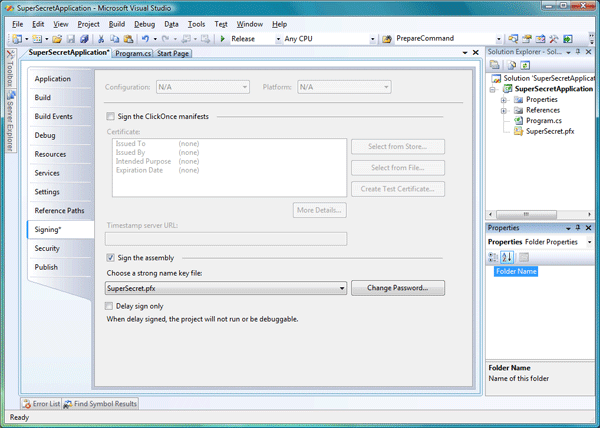
Initially I thought signing an assembly would be the easiest way to prevent this, and my first tests confirmed this. I signed the CrackMe from my previous post and tried modifying it again, unsuccessfully.
After changing the code and saving it, Reflexil gave me several options. Adding it to the verification list, resigning it, or leaving it as is.
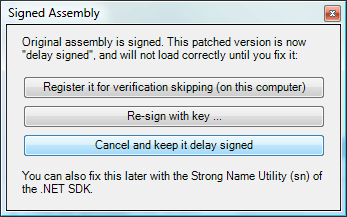
None of the options proved to be usable for the following reason:
- **Adding it to the verification list.** This won't work with fully signed assemblies. Shawn Farkas [explained long ago](http://blogs.msdn.com/shawnfa/archive/2004/08/20/218049.aspx "Post Build Assembly Modification Or: Why Won't SN -Vr Work on Tampered Assemblies") why this doesn't work. The solution proposed doesn't work if we don't have the original key used to sign the file.
- **Resigning it.** Logically this doesn't work, since we don't have the original key.
- **Leaving it as is.** When trying to run the modified assembly, an exception will be thrown, preventing it from running.
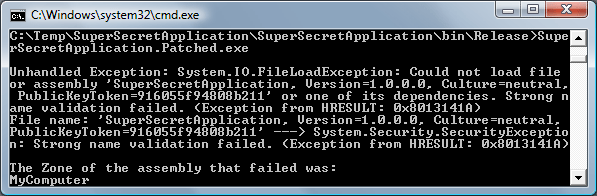
It seems we managed to protect our code, doesn’t it? But we didn’t!
I started thinking, since we can easily decompile an assembly, it couldn’t be that hard to remove the signature and make it pass all checks again. After playing around with ildasm (Found at: Visual Studio - SDK - v2.0 - Bin) and ilasm (Found at: Microsoft.NET - Framework - v2.0.50727) for a while, my suspicions got confirmed. I managed to run the altered, now unsigned, assembly on my computer, defeating code signing.
This process wasn’t error proof however, making round trips through ildasm and ilasm didn’t always recreate the original assembly correctly. But why make the round trips in the first place? Why not edit the assembly directly, only removing the signature, instead of having to decompile and recompile the entire code.
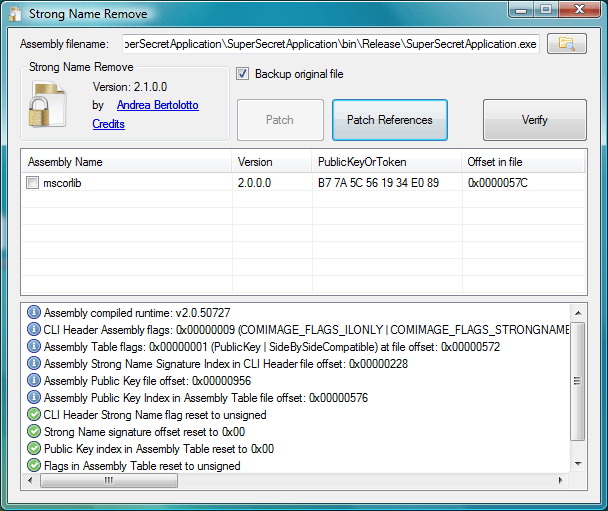
A Google search quickly led me to the answer. This code project article describes code signing in great detail and provides a very nice utility to remove the strong name from an assembly, while also keeping into account referencing assemblies.
Using the tool on my CrackMe removed the signature without any problem, after which I could simply modify it as if it was an unsigned assembly using the instructions from my previous post.
In conclusion, I’d say code signing offers no protection against others determined to modify your assemblies. It seems to be like copy protections on games, it will stop a certain percentage of people but not everyone. It’s another layer in your protection, making it less attractive to others to even bother trying to break your security.
Should you use code signing? Yes, you should, everything helps and applying a strong name also serves other purposes such as solving versioning issues when using the Global Assembly Cache.
In my next post I’ll take a look at another mechanism to protect your code from tampering, obfuscation.
This post is the second in a series on protecting intellectual property.
- [Reverse Engineering with Reflector and Reflexil](/archive/2007-09-06-reverse-engineering-with-reflector-and-reflexil/).
- [Code Signing as Reverse Engineering Protection](/archive/2007-09-15-code-signing-as-reverse-engineering-protection/) (this post).
- [Obfuscation - Making Reverse Engineering Harder](/archive/2007-09-29-obfuscation-making-reverse-engineering-harder/).



You May Also Like
Reverse Engineering with Reflector and Reflexil
I've always been a big fan of Reflector, allowing me to have a look in assemblies to learn new things, debug in case of problems and provide useful…
Open-Source Disk Encryption
Are you concerned about the confidentiality of your files? Take a look at TrueCrypt, a great tool to create encrypted volumes.
Using PowerShell, Writing and Debugging Cmdlets
The prompt is dead, long live the prompt! That's the feeling PowerShell should give you, the new command line shell from Microsoft. Today, I'll try to…