

NSurvey: Answer Types
Originally published on my old blog at cumps.be on February 21, 2005.
By default NSurvey provides different kinds of answer types. These are for example Basic Field, Rich Field, Calendar Field, Email Field, Hidden Field, Password Field, Large Field and dropdown lists which use XML files as data source. NSurvey, however, also allows you to extend these types to create new answer types, with specific functionality.
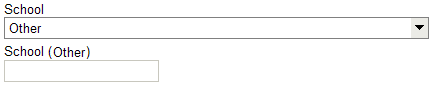
One of the requirements of the survey was that it had to be possible for students to select their school from a list, but also have the possibility to enter it manually if it wasn’t listed. To do this, I created a School answer type.
This type inherited from a regular Basic Field type, but was invisible by default. The special feature of this field was that it subscribed to a dropdown list which listed all available schools and an Other option. This meant that when the selection of the dropdown list changed, it would publish the new selection to all subscribed answers. Because of this, when the Other option was chosen, the field was made visible and it was possible to manually enter the school.
To do this, I had to implement the IAnswerSubscriber interface and use the following code for the ProcessPublishedAnswers method:
public void PublisherCreation(Object sender, AnswerItemEventArgs e) { }

public void ProcessPublishedAnswers(Object sender, AnswerItemEventArgs e) {
  if (e != null && e.PostedAnswers != null && e.PostedAnswers.Count > 0) {
    String selectedSchool = ((PostedAnswerData)e.PostedAnswers[0]).FieldText;
    this.ShowField = selectedSchool.ToLower().Equals("other");
    this.CreateChildControls();
  }
} /* ProcessPublishedAnswers */
I also provided a modified CreateChildControls method:
protected override void CreateChildControls() {
  if (this.ShowField) {
    if (this.ShowAnswerText) {
      // This prevents the Answer title being displayed twice
      if (Controls.Count > 2) {
        Controls.RemoveAt(1);
        Controls.RemoveAt(0);
      }

      if (this.ImageUrl != null && this.ImageUrl.Length != 0) {
        Image selectionImage = new Image();
        selectionImage.ImageUrl = this.ImageUrl;
        selectionImage.ImageAlign = ImageAlign.Middle;
        selectionImage.ToolTip = Text;
        Controls.AddAt(0, selectionImage);
      } else {
        Literal literalText = new Literal();
        literalText.Text = this.Text;
        Controls.AddAt(0, literalText);
      }

      Controls.AddAt(1, new LiteralControl("<br />"));
    }

    if (this.FieldHeight > 1) {
      // Creates a multi line field
      _fieldTextBox.TextMode = TextBoxMode.MultiLine;
      _fieldTextBox.Wrap = true;
      _fieldTextBox.Columns = this.FieldWidth;
      _fieldTextBox.Rows = this.FieldHeight;
    } else {
      _fieldTextBox.MaxLength = this.FieldLength;
      _fieldTextBox.Columns = this.FieldWidth;
    }

    Controls.Add(_fieldTextBox);
    OnAnswerPublisherCreated(new AnswerItemEventArgs(GetUserAnswers()));
  } else {
    Controls.Clear();
  }
} /* CreateChildControls */
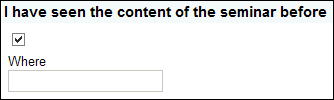
This way, the field was only shown when the published answer was Other, otherwise it was hidden. Another version of this was the CheckBoxField answer type. This type provided a default invisible field, which became visible after a certain checkbox was checked.



You May Also Like

NSurvey: Belgian Regions
NSurvey's Country List knew Belgium but not its regions. How I added them through its region XML files and subscriber model.

NSurvey: Matrix Questions
NSurvey's reports listed matrix rows without their matrix question, which got confusing. I made them show both.

NSurvey: Microsoft Layout
Giving NSurvey the look of microsoft.com for event feedback: header and footer controls, survey, error and contact pages.