

Booting for Lazy People: Wake On LAN
Originally published on my old blog at cumps.be on August 23, 2007.
Wake up! Not you… the computer!
Just had some fun enabling Wake On LAN on one of my computers. A great technology for the lazy people among us, you simply sit in your chair and realize you need to access some other computer in your house, but sadly enough it isn’t powered on. The fit among us might simply walk to the machine and boot it, but I’d rather open up some program, hit a button and with some magic the machine starts up. Funnily enough, the key behind all of this is appropriately named a magic packet, waking up the dead from their sleep.
This magic packet is nothing more than a UDP packet being broadcast with the MAC address of the computer to power on. I don’t know if it has a technical reason or is more meant as a joke to go with the naming, but the MAC address is contained 16 times in the packet, just as the hexadecimal numeral system is base 16.
To set this up, I had to go into the BIOS and enable the Wake On LAN features. This seems to be the most annoying part of the whole thing, since I’ve already found one BIOS which didn’t list any options for it.
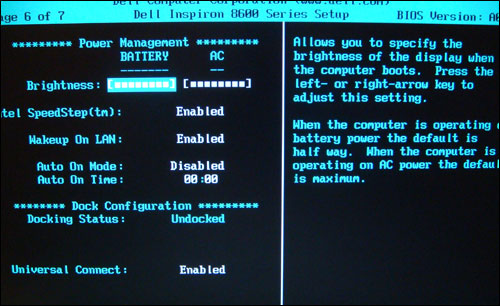
The only thing left is some configuration in Windows, telling the network card it should enable its Wake On LAN features and explaining to Windows that the network card is allowed to wake the computer. The screenshot was taken on a different computer than the one I configured, since that one runs a Dutch version of Windows.
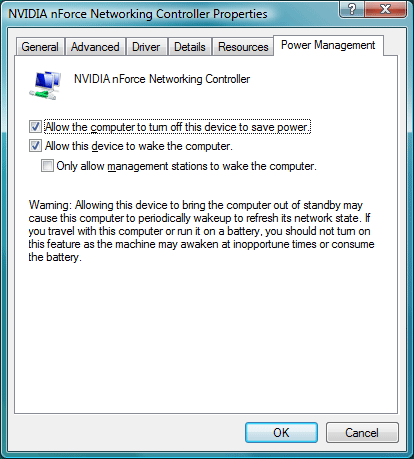
That’s the only configuration needed, now we need to use an application which can send these magic packets, AMD’s PCnet Magic Packet Utility being one of them.
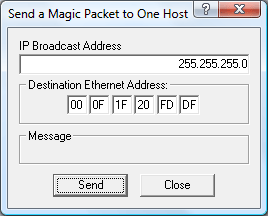
From now on I can boot machines from my desk, log in remotely and shut them down from a distance as well, just a little bit more and my life will revolve around my desk!



You May Also Like

Temporary Break
After 21 days of daily posts, a short break: research takes longer, work comes first and I'm running out of quick subjects.

The Selfish Side of Social Bookmarking
Social bookmarking sites like del.icio.us are about sharing links with others, but they are just as useful for your own bookmarks.

Different Actions, Same Result
Photoshop and Word offer many ways to do the same thing. Someone thought that was bad; here is why I think it's a good thing.