

Party Game Guitar Hero for PC
Originally published on my old blog at cumps.be on September 22, 2007.
Ever heard of the very popular game for the PlayStation 2, called Guitar Hero? Until recently, I only vaguely picked it up here and there, but not being a big PlayStation gamer, I never paid much attention. That is, until today. A friend of mine gave me a link to Frets On Fire, which claims to be the PC variant of Guitar Hero. Seeing it was free, I downloaded it and gave it a try, and I have to admit, it’s addictive!
Allow me to give you a small introduction on this game.
First of all, start by downloading Frets On Fire and installing it on your computer.
Let’s get started and begin the fun by selecting one of the available songs. There are only three out of the box, but you can download additional songs.
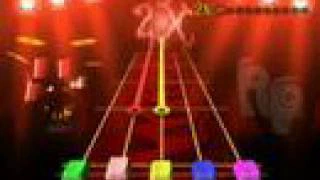
The selected song will load and you’ll notice five frets above the strings. These frets can be selected using the F1 to F5 buttons, but there are also instructions available on using your guitar hero controller. After a while, you’ll notice various notes coming towards you; the goal is to pick the correct string when the note is at about the same position as the frets. You can pick a string by pressing the ENTER key while holding a fret.
Some notes will be very short, while others have a long trail behind them; simply hold the fret down long enough to play the entire note. An example of this can be seen in the video I recorded of Anthrax - Caught In A Mosh above, which has some very long notes in the beginning followed by lots of short ones towards the end.
The better you play, the higher your score will be. A counter will be ticking up in the upper left corner, keeping track of the amount of successful notes played in succession, while in the upper right corner you’ll see the bonus meter build up per note. This meter will tick up per 10 correct notes played and give you up to a 4x multiplier for your score; an incorrect note will reset it back to 1.
To keep the song sounding good, you’d better play as many correct notes as possible, because missing a note will be audible due to the guitar suddenly falling silent. A wrong note also stands out very clearly. There are various degrees of difficulty, with more notes at once and closer together as the difficulty goes up. Since I’m still quite bad at it, the video I recorded was played on the easiest difficulty.
Don’t feel bad about playing on the lowest difficulty, though: the most valuable thing about the game is that it’s a great party game! The laughs and hours of fun you can have with this game are amazing, especially since it’s free!
Another nice addition is the possibility to change the look and feel through the use of mods, and even introduce multi-player functionality.
Frets On Fire managed to make me love this genre of games, where the simplicity makes it so addictive you’d play it all day long.
If you’ll excuse me now, I have to prepare for my big rock concert! :)



You May Also Like

Free TV Guide: GUIDE+
My new DVD recorder came with GUIDE+, a free TV guide that keeps itself up to date and records a program with one button.

The Bits & Bytes Religion
A tongue-in-cheek polytheist religion for IT people, with gods of software, hardware, bugs and, above all, electricity.

Sync FLAC Library with iPod
A small tool built with TagLib#, LAME and FLAC that syncs my lossless FLAC music archive to my iPod.